Documentation / Daily work
Products, batches and expiry
Add products, receive stock in batches, and understand availability and expiry alerts.
Add a product
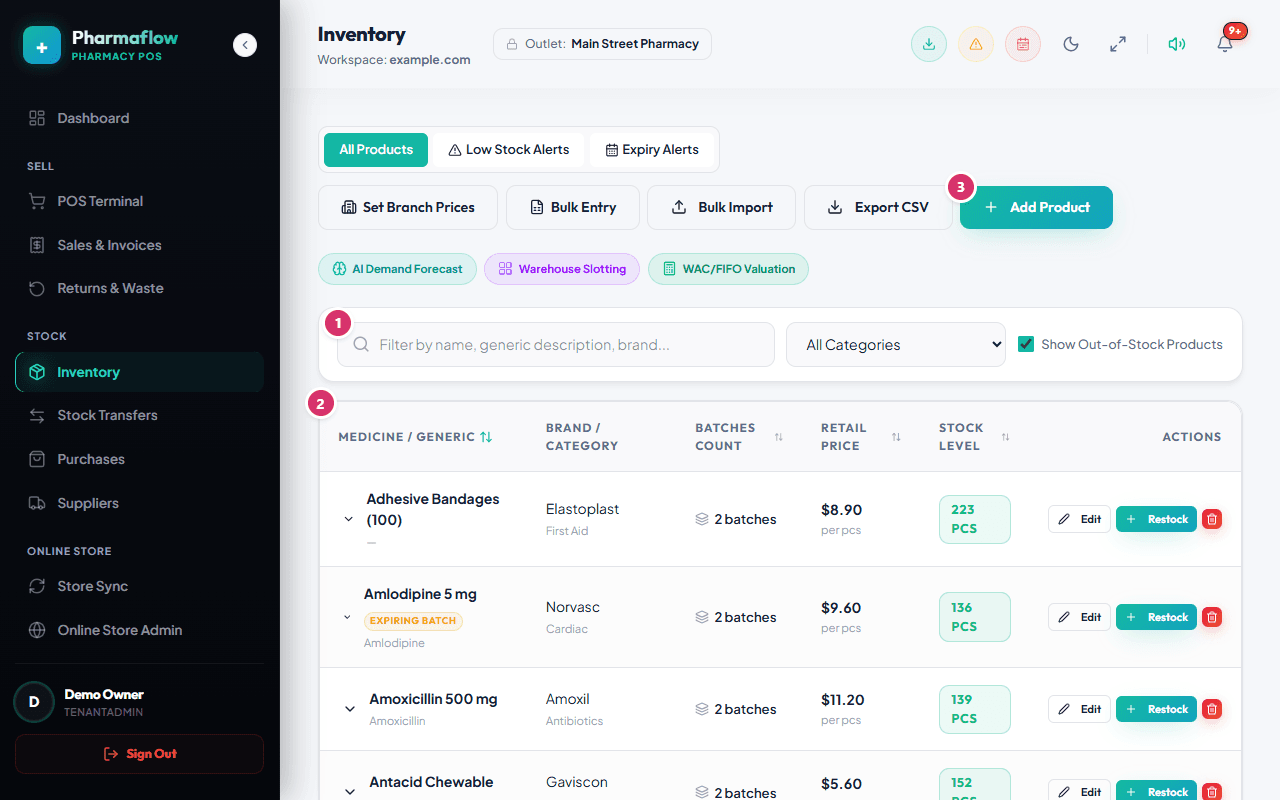
Open Inventory and choose Add Product, or load many at once with Bulk Import (CSV). Give each product a name, price, and a low-stock level. A barcode lets the POS and your store find it by scanning or SKU.
Batches and expiry
Stock is held in batches: a batch has a code, an expiry date, a cost and a quantity. When you receive goods, record the batch (through Purchases or the product’s batch list). The POS sells the batch that expires first (first-expired-first-out), so older stock leaves before newer stock.
What “available” means
Available to sell = stock in batches that are active and not expired, minus stock reserved for open online orders. Batches that have expired are still listed (so you can dispose of them) but never count as available. See the availability rule.
Adjusting stock safely
- Prefer recording what actually happened (a purchase, a return, a waste entry) over overwriting a number.
- Use Edit Batch Specifications to correct a batch, and dispose of expired or damaged stock so the loss is recorded.
Choosing what is sold online
Open Online Store Admin → Medicines and tick Show on Storefront for each product you want to sell online. Products that are inactive, not ticked, or marked prescription-only/controlled are never shared with your store or the API.