Documentation / Online store
Store sync: how stock reaches your online store
The rules PharmaFlow follows so the counter and the online store never disagree.
Who owns the stock
PharmaFlow is the single source of truth for stock. A connected store can read quantities and place or cancel orders, but it can never write a quantity. Because quantities only flow one way, an update sent to your store can never come back as a stock change, so synchronisation cannot loop.
The availability rule
available = (quantity in batches that are active and not expired)
          − (quantity reserved by open online orders)
The same rule feeds the built-in store, the inventory API and webhook payloads, so they always agree with each other and with the counter.
What changes stock
| Event | Effect on available stock | Store notified? |
|---|---|---|
| POS sale | Deducted from the batches that expire first, in one transaction. Repeating the same checkout does not deduct twice. | Yes, inventory.updated |
| Receiving a purchase, manual adjustment, stocktake, transfer, waste | Changes the batch quantities. | Yes |
| Order placed by your store | Reserved immediately, all-or-nothing. Not deducted until fulfilled. | Yes |
| Order cancelled by your store | Reservation released; stock is available again. | Yes |
| Order completed at the counter | Recorded as a normal sale; reservation released. | Yes, plus order.updated |
| Customer return at the counter | Quantity returns to stock through the returns screen. | Yes |
| Two orders for the last unit at the same moment | The first one wins; the second is refused with the quantity that is actually left. | — |
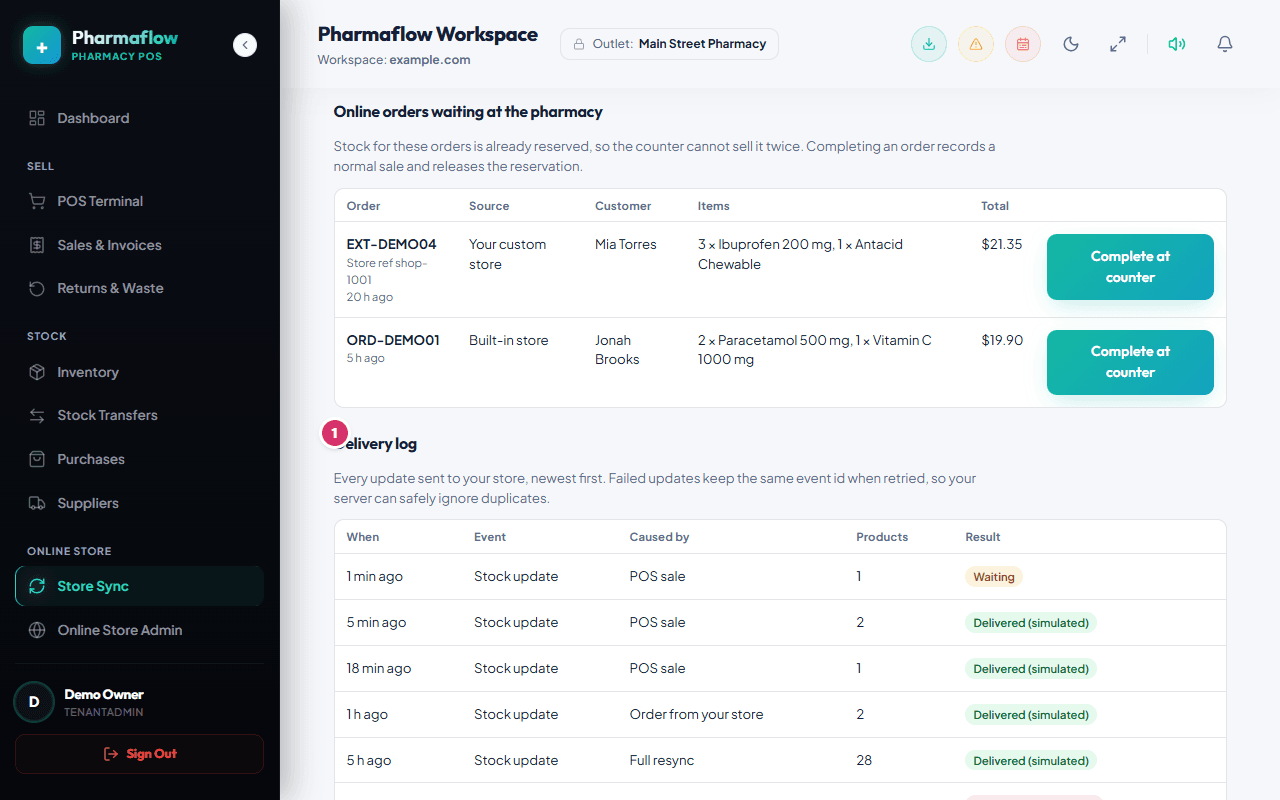
Updates are snapshots of the latest state taken when they are sent, so a late or repeated delivery cannot move your store backwards. Each event has a stable id; a retry re-uses it so your server can ignore duplicates.
Built-in store vs custom store
- Built-in online store: reads the same inventory directly. Nothing to configure for stock; manage products and orders in Online Store Admin.
- Custom store: uses an API key and a webhook URL. See Connect a custom store.
The Store sync screen
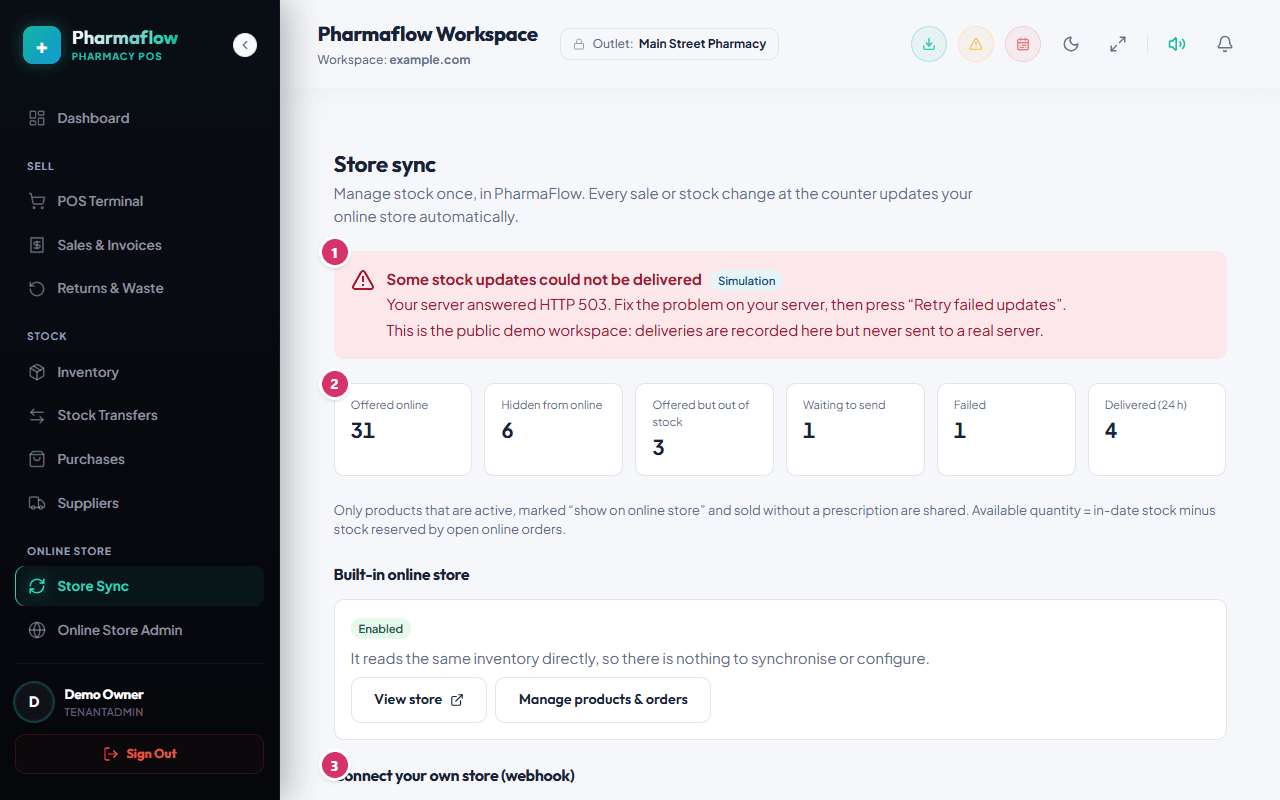
- Status banner: In sync, Waiting, or Failing, with the last error in plain words.
- Send test event: delivers a signed test message and shows the real result.
- Retry failed updates / Deliver pending now: re-queue or send immediately.
- Resync all products: sends a full snapshot of everything offered online. Use it after your store was down for a long time.
- Online orders waiting: complete them at the counter to record the sale and release the reservation.
Not supported
- Ready-made connectors for Shopify, WooCommerce or other platforms.
- Your store writing stock levels back to PharmaFlow (by design).
- Selling prescription-only or controlled medicines through the API. They are never shared.
- Per-branch availability: the online channel uses the total across branches. Fulfilment happens at the branch of the person completing the order.
- Refund automation: refunds are handled at the counter and then appear as a stock update.